728x90
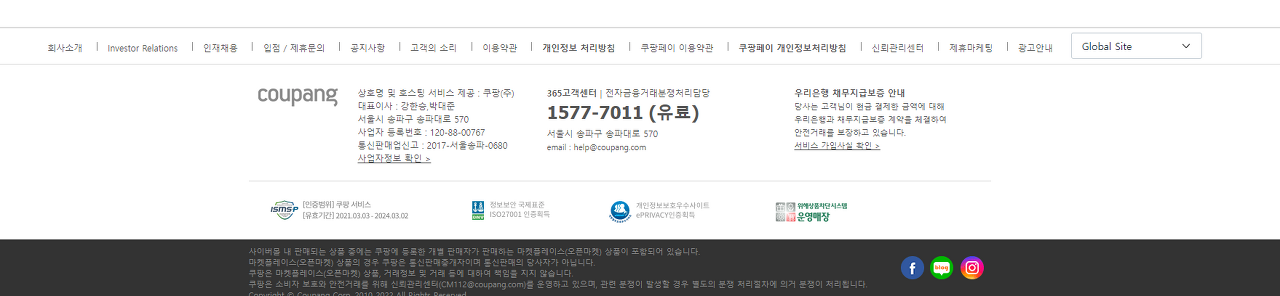
지난 글에서는 기본적인 layout을 비슷하게 만들어 보는 것까지 진행하였다
이번 글에서는 내용을 모두 채워넣는 것을 목표로 하겠다
1. 내용 집어넣기(input text footer_top)
우선, 가장 윗줄부터 텍스트로 되어있는 글을 전부 집어넣을 예정이다
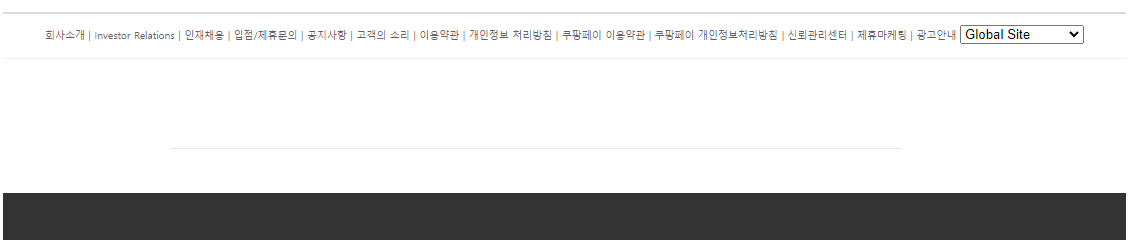
지금까지 진행된 코드 보기
main.html
<html>

<head>
    <link rel="stylesheet" href="style.css">
</head>

<body>
    <div id="header">input about header</div>
    <div id="content">input about content</div>
    <div id="footer">
        <div id="footer_top">
            <div id="footer_top_text">
                회사소개 | Investor Relations | 인재채용 | 입점/제휴문의 | 공지사항 |
                고객의 소리 | 이용약관 | 개인정보 처리방침 | 쿠팡페이 이용약관 |
                쿠팡페이 개인정보처리방침 | 신뢰관리센터 | 제휴마케팅 | 광고안내
                <select>
                    <option>Global Site</option>
                    <option>Coupang Taiwan</option>
                </select>
            </div>
        </div>
        <div id="footer_mtop"></div>
        <div id="footer_mbot"></div>
        <div id="footer_bot"></div>
    </div>
</body>

</html>
style.css
#header{
    height: 20%;
}
#content {
    height: 50%;
}
#footer {
    height: 30%;
    border-top: 2px solid rgb(218, 218, 218);
}
#footer #footer_top{
    height: 15%;
    border-bottom: 1px solid rgb(241, 241, 241);
}
#footer #footer_top #footer_top_text{
    text-align: center;
    margin-top: 1%;
    font-size: 0.5vw;
    color: rgb(93, 98, 101);
}
#footer #footer_mtop {
    border-bottom: 1px solid rgb(232, 232, 232);
    height: 40%;
    margin-left: 15%;
    margin-right: 20%;
}
#footer #footer_mbot {
    height: 20%;
    margin-left: 15%;
    margin-right: 20%;
}
#footer #footer_bot {
    background-color: rgb(51,51,51);
    height: 25%;
}
2. 내용 집어넣기(input text footer_mtop, footer_mbot)
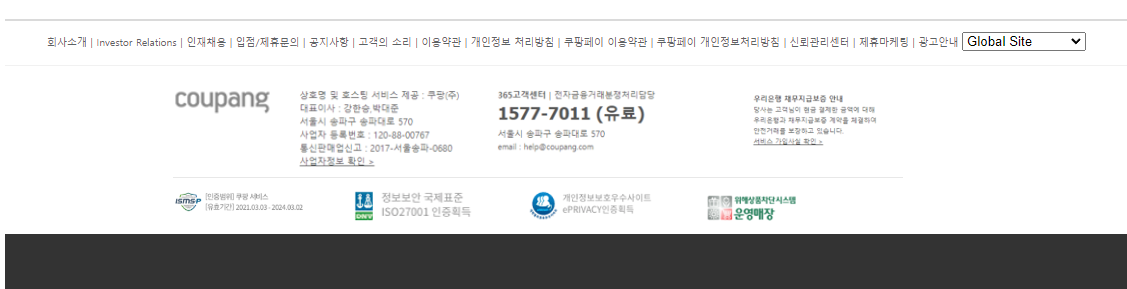
이번에는 두 번째 줄의 내용을 전부 집어넣도록 하겠다
하지만 4개의 블럭으로 나뉘어져 있기에 div를 추가 분할 한 뒤에 만들도록 하겠다
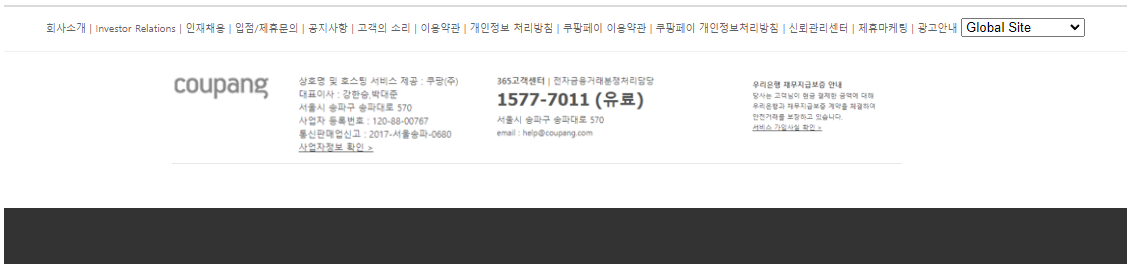
두 번째 줄과 세 번째 줄은 이미지로 대체하여 적용하고 있다
지금까지 진행된 코드 보기
main.html
<html>

<head>
    <link rel="stylesheet" href="style.css">
</head>

<body>
    <div id="header">input about header</div>
    <div id="content">input about content</div>
    <div id="footer">
        <div id="footer_top">
            <div id="footer_top_text">
                회사소개 | Investor Relations | 인재채용 | 입점/제휴문의 | 공지사항 |
                고객의 소리 | 이용약관 | 개인정보 처리방침 | 쿠팡페이 이용약관 |
                쿠팡페이 개인정보처리방침 | 신뢰관리센터 | 제휴마케팅 | 광고안내
                <select>
                    <option>Global Site</option>
                    <option>Coupang Taiwan</option>
                </select>
            </div>
        </div>
        <div id="footer_mtop">
            <div id="footer_mtop_1">
                <img src="images/coupang.png" width="90%">
            </div>
            <div id="footer_mtop_2">
                <img src="images/mtop2.png" width="90%">
            </div>
            <div id="footer_mtop_3">
                <img src="images/mtop3.png" width="90%">
            </div>
            <div id="footer_mtop_4">
                <img src="images/mtop4.png" width="90%">
            </div>
        </div>
        <div id="footer_mbot">
            <div id="footer_mbot_1">
                <img src="images/mbot1.png" width="90%">
            </div>
            <div id="footer_mbot_2">
                <img src="images/mbot2.png" width="90%">
            </div>
            <div id="footer_mbot_3">
                <img src="images/mbot3.png" width="90%">
            </div>
            <div id="footer_mbot_4">
                <img src="images/mbot4.png" width="70%">
            </div>
        </div>
        <div id="footer_bot"></div>
    </div>
</body>

</html>
style.css
#header{
    height: 20%;
}
#content {
    height: 50%;
}
#footer {
    height: 30%;
    border-top: 2px solid rgb(218, 218, 218);
}
#footer #footer_top{
    height: 15%;
    border-bottom: 1px solid rgb(241, 241, 241);
}
#footer #footer_top #footer_top_text{
    text-align: center;
    margin-top: 1%;
    font-size: 0.5vw;
    color: rgb(93, 98, 101);
}

#footer #footer_mtop {
    padding-top: 2%;
    border-bottom: 1px solid rgb(232, 232, 232);
    height: 40%;
    margin-left: 15%;
    margin-right: 20%;
    display: flex;
}
#footer #footer_mtop #footer_mtop_1{
    width: 15%;
    height: 100%;
}
#footer #footer_mtop #footer_mtop_2 {
    margin-left: 2%;
    width: 25%;
    height: 100%;
}
#footer #footer_mtop #footer_mtop_3 {
    margin-left: 2%;
    width: 25%;
    height: 100%;
}
#footer #footer_mtop #footer_mtop_4 {
    margin-left: 10%;
    float: right;
    width: 20%;
    height: 100%;
}

#footer #footer_mbot {
    padding-top: 1%;
    height: 20%;
    margin-left: 15%;
    margin-right: 20%;
    display: flex;
}
#footer #footer_mbot #footer_mbot_1{
    width: 20%;
}
#footer #footer_mbot #footer_mbot_2 {
    margin-left: 4%;
    width: 20%;
}
#footer #footer_mbot #footer_mbot_3 {
    margin-left: 4%;
    width: 20%;
}
#footer #footer_mbot #footer_mbot_4 {
    margin-left: 4%;
    width: 20%;
}
#footer #footer_bot {
    background-color: rgb(51,51,51);
    height: 25%;
}
3. 마지막 내용 집어넣고 완성시키기(input text footer_bot)
마지막은 텍스트와 사진을 모두 집어넣는 방법을 사용하여 완성시켰다
완성된 코드 보기
main.html
<html>

<head>
    <link rel="stylesheet" href="style.css">
</head>

<body>
    <div id="header">input about header</div>
    <div id="content">input about content</div>
    <div id="footer">
        <div id="footer_top">
            <div id="footer_top_text">
                회사소개 | Investor Relations | 인재채용 | 입점/제휴문의 | 공지사항 |
                고객의 소리 | 이용약관 | 개인정보 처리방침 | 쿠팡페이 이용약관 |
                쿠팡페이 개인정보처리방침 | 신뢰관리센터 | 제휴마케팅 | 광고안내
                <select>
                    <option>Global Site</option>
                    <option>Coupang Taiwan</option>
                </select>
            </div>
        </div>
        <div id="footer_mtop">
            <div id="footer_mtop_1">
                <img src="images/coupang.png" width="90%" height="50%">
            </div>
            <div id="footer_mtop_2">
                <img src="images/mtop2.png" width="90%" height="90%">
            </div>
            <div id="footer_mtop_3">
                <img src="images/mtop3.png" width="90%" height="90%">
            </div>
            <div id="footer_mtop_4">
                <img src="images/mtop4.png" width="90%" height="90%">
            </div>
        </div>
        <div id="footer_mbot">
            <div id="footer_mbot_1">
                <img src="images/mbot1.png" width="90%" height="90%">
            </div>
            <div id="footer_mbot_2">
                <img src="images/mbot2.png" width="90%" height="90%">
            </div>
            <div id="footer_mbot_3">
                <img src="images/mbot3.png" width="90%" height="90%">
            </div>
            <div id="footer_mbot_4">
                <img src="images/mbot4.png" width="70%" height="70%">
            </div>
        </div>
        <div id="footer_bot">
            <div id="footer_bot_text">
                사이버몰 내 판매되는 상품 중에는 쿠팡에 등록한 개별 판매자가
                판매하는 마켓플레이스(오픈마켓) 상품이 포함되어 있습니다.<br>
                마켓플레이스(오픈마켓) 상품의 경우 쿠팡은 통신판매중개자이며
                통신판매의 당사자가 아닙니다.<br>
                쿠팡은 마켓플레이스(오픈마켓) 상품, 거래정보 및 거래 등에 대하여
                책임을 지지 않습니다.<br>
                쿠팡은 소비자 보호와 안전거래를 위해 신뢰관리센터(CM112@coupang.com)를
                운영하고 있으며, 관련 분쟁이 발생할 경우 별도의 분쟁 처리절차에 의거
                분쟁이 처리됩니다.<br>
                Copyrightⓒ Coupang Corp 2010, 2022 All Rights Reserved
            </div>
            <div id="footer_bot_img">
                <img src="images/bot.png" width="70%" height="70%">
            </div>
        </div>
    </div>
</body>

</html>
style.css
#header{
    height: 20%;
}
#content {
    height: 50%;
}
#footer {
    height: 30%;
    border-top: 2px solid rgb(218, 218, 218);
}
#footer #footer_top{
    height: 15%;
    border-bottom: 1px solid rgb(241, 241, 241);
}
#footer #footer_top #footer_top_text{
    text-align: center;
    margin-top: 1%;
    font-size: 0.5vw;
    color: rgb(93, 98, 101);
}

#footer #footer_mtop {
    padding-top: 2%;
    border-bottom: 1px solid rgb(232, 232, 232);
    height: 40%;
    margin-left: 15%;
    margin-right: 20%;
    display: flex;
}
#footer #footer_mtop #footer_mtop_1{
    width: 15%;
    height: 100%;
}
#footer #footer_mtop #footer_mtop_2 {
    margin-left: 2%;
    width: 25%;
    height: 100%;
}
#footer #footer_mtop #footer_mtop_3 {
    margin-left: 2%;
    width: 25%;
    height: 100%;
}
#footer #footer_mtop #footer_mtop_4 {
    margin-left: 10%;
    float: right;
    width: 20%;
    height: 100%;
}

#footer #footer_mbot {
    padding-top: 1%;
    height: 20%;
    margin-left: 15%;
    margin-right: 20%;
    display: flex;
}
#footer #footer_mbot #footer_mbot_1{
    width: 20%;
}
#footer #footer_mbot #footer_mbot_2 {
    margin-left: 4%;
    width: 20%;
}
#footer #footer_mbot #footer_mbot_3 {
    margin-left: 4%;
    width: 20%;
}
#footer #footer_mbot #footer_mbot_4 {
    margin-left: 4%;
    width: 20%;
}

#footer #footer_bot {
    align-items: center;
    background-color: rgb(51,51,51);
    height: 32%;
    display: flex;
    color: rgb(131, 126, 128);
    font-size: 0.5vw;
}
#footer #footer_bot #footer_bot_text{
    margin-left: 10%;
}
결과물 확인해보기
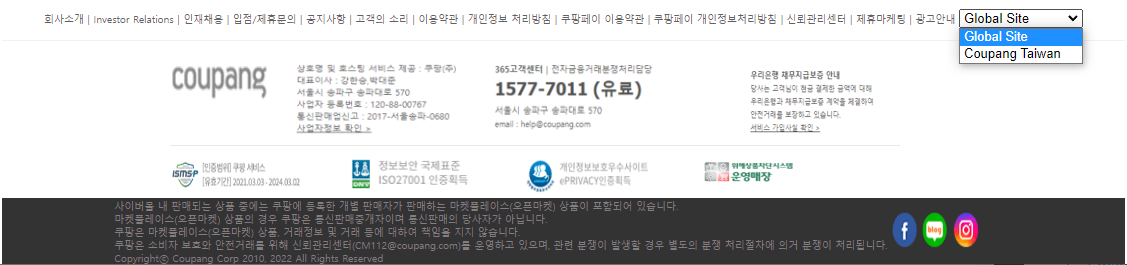
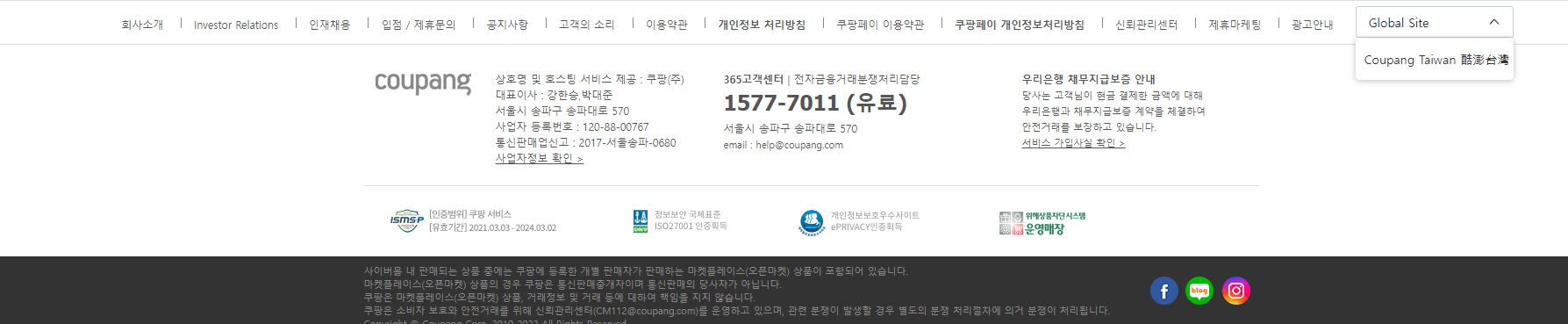
꽤나 그럴싸하게 만들어낸 듯 하다
728x90
'활동내역.zip > 개인' 카테고리의 다른 글
| [WebCrawling] 웹사이트를 직접 분석해보자 -4편 (0) | 2022.12.05 |
|---|---|
| [WebCrawling] 웹사이트를 직접 분석해보자 -3편 (0) | 2022.12.05 |
| [WebCrawling] 웹사이트를 직접 분석해보자 -2편 (0) | 2022.12.04 |
| [WebCrawling] 웹사이트를 직접 분석해보자 -1편 (0) | 2022.12.04 |
| [HTML+CSS] 무작정 따라 만들어보기(쿠팡 footer만들기 1편) (0) | 2022.11.20 |